
4K Video Downloader: How to Download High-Resolution Videos
Quick Answer: To use a 4k video downloader, copy the video link from your preferred video platform, paste it into Save Downloads, and select 2160p (4K Ultra HD) in the format selector. Tap Download to automatically fetch the visual and audio streams, merging them into a pristine MP4 file for offline playback on 4K TVs, monitors, or mobile phones.
Modern digital displays have made Ultra High Definition (UHD) 4K video the standard for home entertainment. From massive 65-inch 4K living room televisions and color-accurate desktop monitors to high-density AMOLED smartphone displays, viewing content in true 4K delivers breath-taking clarity, realistic color gradations, and intricate details.
In this guide, you will learn how a true 4k video downloader operates, why other tools fail to deliver audio with 4K downloads, and how to watch Ultra HD content smoothly offline.
The Technology Challenge: Why 4K Videos Separate Audio
If you have tried other video download utilities, you may have experienced downloading a 4K video file only to discover that it plays completely silent:
- Adaptive Stream Splitting: To save server bandwidth, video platforms deliver visual tracks and audio tracks as two independent streams for resolutions above 720p.
- The Re-encoding Trap: Many download tools simply grab the 4K visual stream and omit the audio, leaving you with a silent file.
- Automated Stream Merging: A genuine hd video downloader must fetch both the 4K video track and the high-bitrate audio track simultaneously, then package them together seamlessly into a standard
.mp4file.
Save Downloads performs this stream assembly directly on your device hardware with zero quality loss, delivering crisp 4K visuals and synchronized stereo audio.
How to Download 4K Videos on Android
Saving a 4K video on your mobile phone takes only four steps:
- Find a 4K Video: Open your video app and find any video uploaded in 2160p (4K) or 1080p.
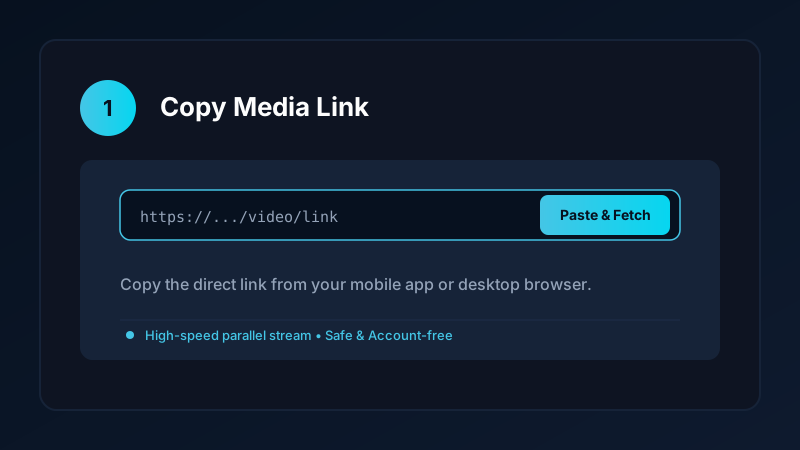
- Copy the Link: Tap Share and select Copy link.
- Open Save Downloads: The application detects your copied URL automatically.
- Choose 2160p (4K): Tap 2160p Ultra HD and tap Download.
The file downloads in the background with accelerated multi-threaded speed and saves directly into your device Movies/SaveDownloads folder.
Resolution Breakdown: 4K vs 1440p vs 1080p
Understanding resolution metrics helps you balance picture quality with device storage:
| Quality Tier | Pixel Dimensions | Total Pixels | Typical File Size (10 min) | Best Display |
|---|---|---|---|---|
| 4K Ultra HD | 3840 × 2160 | 8.3 Million | 400 MB – 900 MB | 4K Smart TVs, cinema projectors, monitors |
| 2K Quad HD | 2560 × 1440 | 3.7 Million | 250 MB – 500 MB | High-end smartphones, gaming laptops |
| 1080p Full HD | 1920 × 1080 | 2.1 Million | 120 MB – 250 MB | Everyday smartphones, tablets, laptops |
| 720p HD | 1280 × 720 | 0.9 Million | 60 MB – 120 MB | Older smartphones, saving mobile data |
For wildlife documentaries, architectural tours, and tech showcases, 4K provides stunning depth. For everyday lecture viewing where storage is limited, 1080p Full HD is the ideal choice. For YouTube-specific workflows, explore our YouTube 4K and 1080p download guide.
Overcoming Speed Throttling During 4K Downloads
Because 4K video files can easily exceed 1 GB or 2 GB, single-threaded web downloads often stall or take hours:
- Parallel Chunk Acceleration: Save Downloads divides large files into multiple simultaneous streams, downloading chunks in parallel to bypass bandwidth limits.
- Pause and Resume Support: If your Wi-Fi flickers or you leave home, the download pauses and resumes from the exact byte where it left off.
- Zero Transcoding Overhead: Streams are packaged without re-encoding, preserving color depth and frame rates.
Playing 4K Videos Smoothly Offline
To enjoy stutter-free 4K playback on your phone or PC:
- Use Hardware Acceleration: The built-in Save Downloads player and third-party apps like VLC leverage your device GPU for smooth 60fps playback.
- Smart TV Casting: Copy your completed 4K MP4 files to a USB flash drive or stream them wirelessly via DLNA/Chromecast to your living room 4K TV.
- Private Storage: Keep large video files safe in the offline encrypted private vault so they do not clutter your camera roll.
Ethical and Fair-Use Guidelines
When saving 4K media:
- Download content solely for personal offline viewing, research, or fair-use study.
- Respect creator copyright and original publisher licenses.
- Read our comprehensive legal guide on video downloading.
Verifying True 4K Video Quality on Android Displays
To confirm that your downloaded file is playing in genuine 4K Ultra HD:
- Inspect File Details: Open the video properties in your gallery app or VLC. The dimensions should state
3840 x 2160. - Examine Small Text and Textures: True 4K reveals crisp lettering on road signs, individual blades of grass, and delicate facial details that look slightly blurred in 1080p.
- Color Reproduction on AMOLED: 4K video streams preserve rich 10-bit color gradients, eliminating harsh color banding in sunsets and ocean scenes on OLED displays.
Frequently Asked Questions
Can I download 4K videos with audio included?
Yes. While streaming platforms separate 4K video and audio tracks, Save Downloads automatically combines them into one seamless MP4 file.
How large is a 4K video download?
A 10-minute 4K video file typically ranges from 400 MB to 900 MB, depending on the visual complexity and frame rate.
Do all smartphones support 4K video playback?
Most modern Android smartphones released after 2020 have hardware decoding for 4K video. Older phones can select 1080p Full HD.
Is 4k video downloader functionality free on Save Downloads?
Yes. Save Downloads provides unrestricted 4K and 1080p downloads with zero paywalls, limits, or subscriptions.
Ultra-Fast VPN & Uncapped Bandwidth
Protect your mobile downloads with military-grade AES-256 encryption. Prevent ISP bandwidth throttling and stream up to 8x faster.
Try Save Downloads for Android
Parallel multi-chunk downloads, lossless 1080p and 4K stream remuxing, WhatsApp status saver, and AES-256 encrypted vault. 100% offline and account-free.
Related Guides & Articles
Best Video Downloader App for Android in 2026
Looking for the best video downloader app for Android? Discover top features to check: offline speed, 1080p/4K with sound, private vault, and no accounts.
Video Download Karne Wala App: Phone Mein Video Kaise Download Karein
Dhoond rahe hain behtareen video download karne wala app? Janein phone mein YouTube, Facebook aur TikTok video kaise download karein gallery mein.
Video Downloader APK: How to Download and Install It Safely
Looking to install a video downloader apk? Learn step-by-step how to safely sideload Android APKs, verify SHA-256 checksums, and avoid malware.