
Video Downloader APK: How to Download and Install It Safely
Quick Answer: To safely install a video downloader apk, download the official package directly from savedownloads.com, verify that its SHA-256 checksum matches the published release hash, enable “Install Unknown Apps” for your browser in Android Settings, and tap Install. This ensures you receive a genuine, malware-free application with full functionality.
Android’s open architecture allows users to install applications directly using Android Package (APK) files—a process known as sideloading. Because major app store policies restrict utilities that download videos from popular platforms, the most powerful and unrestricted video downloaders are distributed directly by developers via APK packages.
However, downloading APKs from random third-party mirror websites or search engines carries serious malware risks. In this guide, you will learn how to verify, download, and install a video downloader apk safely.
Why Sideloading Is Safe When Done Correctly
Sideloading has been a core capability of Android since its inception:
- Developer Freedom: Distributing apps via direct APK allows developers to release rapid updates and provide unrestricted media saving tools without arbitrary store policy bans.
- Consumer Control: You own your hardware and have the right to run software of your choice.
- The Golden Rule: Always download APKs directly from the primary official domain (
savedownloads.com), never from obscure file lockers, modified forums, or “mod apk” repositories.
Using an authentic all video downloader apk gives you complete, uninterrupted media access.
Step-by-Step Guide: How to Install an APK on Android
Follow these straightforward steps on any modern Android smartphone or tablet:
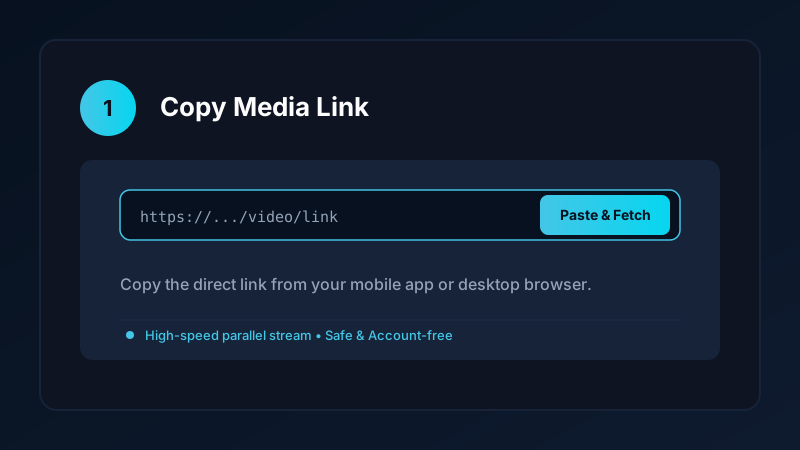
Step 1: Download the Official Package
Navigate to savedownloads.com on your mobile browser (Chrome, Samsung Internet, Firefox) and tap the primary Download APK button.
Step 2: Handle the Browser Security Warning
Android displays a standard alert: “File might be harmful. Do you want to download SaveDownloads.apk anyway?” This warning appears for every APK downloaded outside the Google Play Store. Tap Download anyway.
Step 3: Enable “Install Unknown Apps” Permission
If this is your first time sideloading an app from your browser:
- Open your phone Settings.
- Tap Apps (or Apps & Notifications).
- Tap Special App Access > Install Unknown Apps.
- Select the browser you used (e.g., Chrome).
- Toggle Allow from this source to ON.
Step 4: Complete Installation
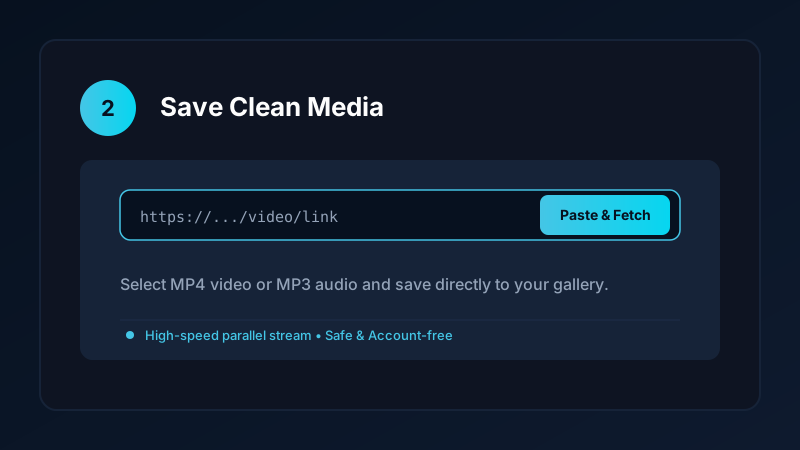
Tap the completed download notification or open your Files/Downloads folder. Tap the APK file and select Install. Within seconds, Save Downloads is installed and ready to use.
Verifying Integrity: The Power of SHA-256 Checksums
The gold standard for software security is verifying the cryptographic hash of your video apk:
- Every compiled application produces a unique 64-character SHA-256 checksum.
- If a single line of code is altered or injected with adware by a malicious mirror site, the checksum changes completely.
- Save Downloads publishes the exact SHA-256 checksum on its official release page.
- You can verify the hash on your Android phone using free open-source tools like Hash Checker from F-Droid or Play Store before installing.
Red Flags to Avoid When Searching for Downloader APKs
Protect your smartphone by avoiding these dangerous practices:
- Never install “MOD APK” or “Pro Unlocked” builds. Pirated mod sites frequently inject trojans, cryptominers, or credential loggers into modified binaries. Save Downloads is already 100% free with no paid tiers to unlock.
- Beware of excessive permissions. Save Downloads requests only storage access to write video files. Any downloader demanding access to SMS, phone calls, or contacts should be avoided.
- Avoid sketchy third-party APK app stores that bundle adware downloaders into their installers.
Learn more about the best mobile features in our best Android video downloader review.
Ethical and Fair-Use Guidelines
When using your video downloader app:
- Save media strictly for personal offline viewing, research, or study.
- Respect creator copyright and original publisher licenses.
- Read our comprehensive legal guide on video downloading.
Step-by-Step SHA-256 Hash Verification on Mobile
Verifying an APK hash is the ultimate guarantee of security:
- Download the APK: Save the file from
savedownloads.comto your phone. - Open a Hash Checker App: Use a free hash utility from F-Droid or Play Store (such as Hash Checker).
- Select the Save Downloads APK: The tool computes the SHA-256 string in seconds.
- Compare With Official Release: Ensure the generated 64-character hash matches the official hash published on the release page.
- Install With Complete Confidence: A matching hash mathematically proves the file is 100% authentic and unmodified.
- Verifying Google Play Protect Warnings: Google Play Protect may display a routine prompt when installing direct APKs. Verifying the SHA-256 checksum proves the binary has not been tampered with.
Frequently Asked Questions
Is it safe to download and install a video downloader apk?
Yes, provided you download directly from the official developer website and verify the APK SHA-256 cryptographic checksum.
Why are video downloader apps not on the Google Play Store?
Google Play developer policies restrict apps that download videos from YouTube. Direct APK sideloading allows full, unrestricted functionality.
How do I enable ‘Install Unknown Apps’ on Android?
Go to Settings > Apps > Special App Access > Install Unknown Apps, select your browser (e.g., Chrome), and toggle ‘Allow from this source’.
What is an APK checksum and why does it matter?
A SHA-256 checksum is a unique digital fingerprint. If a downloaded file matches the published official hash, it guarantees the file is untouched and virus-free.
Ultra-Fast VPN & Uncapped Bandwidth
Protect your mobile downloads with military-grade AES-256 encryption. Prevent ISP bandwidth throttling and stream up to 8x faster.
Try Save Downloads for Android
Parallel multi-chunk downloads, lossless 1080p and 4K stream remuxing, WhatsApp status saver, and AES-256 encrypted vault. 100% offline and account-free.
Related Guides & Articles
4K Video Downloader: How to Download High-Resolution Videos
Looking for a true 4k video downloader? Learn how to download Ultra HD 4K and 1080p videos with synchronized sound for offline viewing on TV and mobile.
Best Video Downloader App for Android in 2026
Looking for the best video downloader app for Android? Discover top features to check: offline speed, 1080p/4K with sound, private vault, and no accounts.
Video Download Karne Wala App: Phone Mein Video Kaise Download Karein
Dhoond rahe hain behtareen video download karne wala app? Janein phone mein YouTube, Facebook aur TikTok video kaise download karein gallery mein.