
Bilibili Video Downloader: How to Download Bilibili Videos
Quick Answer: To use a bilibili video downloader, copy the video link from Bilibili or Douyin, open Save Downloads, and paste the URL. Select 1080p HD quality and tap Download. The anime, gaming walkthrough, or viral clip saves directly into your device gallery under your Movies folder as a universal MP4 file without floating comments.
Bilibili has grown into one of Asia’s most prominent creative hubs, hosting millions of licensed animation episodes, gaming walkthroughs, tech hardware reviews, musical covers, and cultural vlogs. Similarly, Douyin features cutting-edge short-form entertainment and viral dance trends. However, watching high-bitrate media from foreign servers often causes severe buffering and slow loading times.
In this guide, you will learn how to use a reliable bilibili download utility to save high-definition media directly to your phone or PC for smooth offline playback.
Why Use an External Bilibili Downloader?
Streaming video across international networks frequently presents distinct challenges:
- Server Latency and Buffering: Cross-border internet routing can cause frequent stuttering during peak evening hours.
- Uncluttered Viewing: Bilibili is famous for “danmaku” (floating bullet comments that scroll across the screen). A stream extractor saves the clean master video without text obscuring the frame.
- Permanent Offline Archiving: Keep rare gaming playthroughs and fan animations safely backed up on your hard drive even if videos are taken down.
Using an independent tool ensures you enjoy smooth, uninterrupted viewing.
How to Download Bilibili Videos on Android
Saving a video on your Android phone takes less than twenty seconds:
- Find the Video: In the Bilibili app or mobile web page, locate the video you want to save.
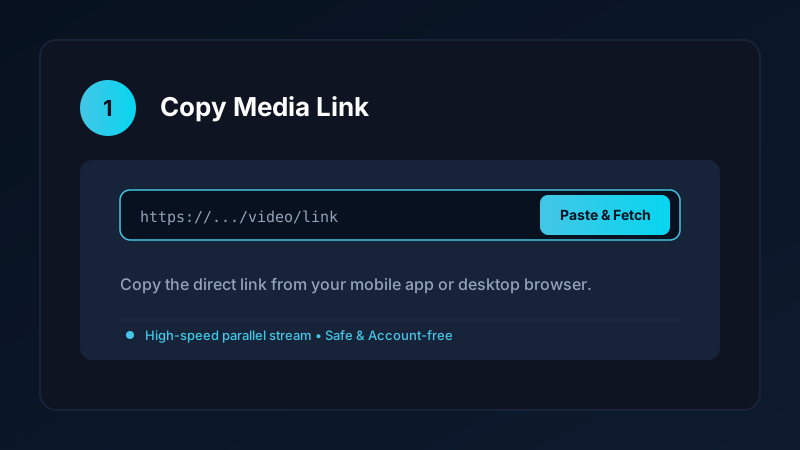
- Copy the Link: Tap the Share button below the video player and choose Copy link.
- Open Save Downloads: The application detects your copied URL automatically.
- Choose HD Resolution: Select 1080p Full HD or 720p HD and tap Download.
The completed video is saved directly into your device Movies/SaveDownloads folder, immediately visible in Google Photos, Samsung Gallery, and other media players.
Downloading Douyin Short Videos Without Watermarks
Many users looking for a douyin video downloader want to save short-form viral clips:
- Douyin is the original Chinese version of TikTok, featuring unique creator trends and cultural skits.
- Copy the share link from Douyin and paste it into Save Downloads.
- The app fetches the clean 1080x1920 MP4 file directly without watermark overlays.
- Learn more about short video archiving in our TikTok video downloader guide.
Full Audio Synchronization: Pristine Music and Voiceovers
Bilibili content creators place heavy emphasis on acoustic production, including vocaloid tracks, orchestral gaming covers, and voice acting:
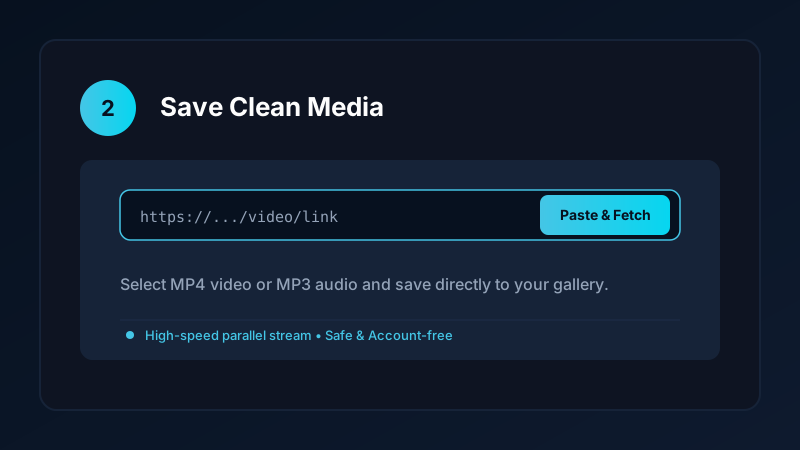
- Save Downloads downloads high-definition video and high-bitrate audio streams simultaneously.
- Streams are packaged into standard MP4 format with perfect synchronization.
- If you only want the music track, switch the format selector to MP3 to create a 320kbps audio file.
Safe, Account-Free Archiving
Many third-party tools require you to scan QR codes or log in with your personal credentials before downloading media. This creates severe account security hazards:
- Your personal login tokens could be compromised.
- Save Downloads operates 100% account-free. You never enter passwords or scan third-party QR codes; all public media is downloaded anonymously.
Copyright and Fair Use Reminders
When performing a download bilibili video task:
- Save content strictly for personal offline viewing, research, or study.
- Respect creator copyright and original animation licenses.
- Read our comprehensive legal guide on video downloading.
Optimizing Anime and Gaming Walkthrough Video Playback
For fans of Asian animation, esports tournaments, and gaming walkthroughs:
- High-Frame-Rate Action (60fps): Competitive gaming tournaments and high-action anime sequences look best at 60fps. Save Downloads preserves high frame rates without frame skipping.
- Uncluttered Visual Experience: Bilibili is famous for its scrolling bullet comments (danmaku). While fun during live viewing, they can obscure vital on-screen gaming HUDs or subtitles. A direct MP4 download delivers a clean, unobstructed picture.
- Managing Long Playthroughs: 2-hour gaming walkthroughs can take substantial space. Store completed files on an external hard drive or microSD card to keep your phone storage free.
- Audio Fidelity on OST Tracks: Bilibili creators often showcase orchestral video game soundtracks. Save Downloads maintains full stereo acoustics with high-bitrate audio preservation.
- Offline Travel Entertainment: Prepare an offline queue of your favorite animation series before embarking on international flights or train journeys.
- Aspect Ratio Fidelity: Asian mobile clips frequently feature custom 18:9 or 19.5:9 widescreen aspect ratios. Save Downloads preserves the exact native aspect ratio without awkward letterboxing.
Frequently Asked Questions
Can I download Bilibili videos in 1080p Full HD?
Yes. A complete Bilibili downloader parses public streams and retrieves the highest resolution available up to 1080p.
Does downloading Bilibili videos include danmaku bullet comments?
No. External stream downloaders save the clean, unobstructed video file without floating bullet comments covering the frame.
Can I download Douyin short videos as well?
Yes. The same stream extraction engine retrieves clean, watermark-free vertical video clips from Douyin links.
Is Save Downloads free for Bilibili video downloads?
Yes. Save Downloads provides free, unthrottled downloads with zero account registrations or subscription fees.
Ultra-Fast VPN & Uncapped Bandwidth
Protect your mobile downloads with military-grade AES-256 encryption. Prevent ISP bandwidth throttling and stream up to 8x faster.
Try Save Downloads for Android
Parallel multi-chunk downloads, lossless 1080p and 4K stream remuxing, WhatsApp status saver, and AES-256 encrypted vault. 100% offline and account-free.
Related Guides & Articles
4K Video Downloader: How to Download High-Resolution Videos
Looking for a true 4k video downloader? Learn how to download Ultra HD 4K and 1080p videos with synchronized sound for offline viewing on TV and mobile.
Best Video Downloader App for Android in 2026
Looking for the best video downloader app for Android? Discover top features to check: offline speed, 1080p/4K with sound, private vault, and no accounts.
How to Download a Full YouTube Playlist
Need a youtube playlist downloader? Learn how to download entire video playlists and music albums in one tap for complete offline viewing.