
Dailymotion Video Downloader: Download Dailymotion Videos
Quick Answer: To use a dailymotion video downloader, copy the video link from Dailymotion, open Save Downloads, and paste the URL. Select 1080p MP4 quality and tap Download. The video and audio save together as a universal MP4 file directly into your device gallery under your Movies folder.
Dailymotion is one of the world’s most enduring video platforms, hosting millions of full-length sports matches, news broadcasts, independent short films, music videos, and investigative documentaries. Because many creators publish exclusive content on Dailymotion that cannot be found on YouTube, having a reliable way to save these clips offline is essential.
In this guide, you will learn how to use a dependable dailymotion video downloader to save high-definition videos directly to your Android, iPhone, or PC for permanent offline access.
Why Download Videos From Dailymotion?
Streaming media repeatedly over mobile cellular connections has distinct disadvantages:
- Bandwidth Consumption: Re-watching sports highlights or long documentaries consumes gigabytes of expensive mobile data.
- Buffering in Remote Areas: Cellular dead zones during train rides, flights, or camping trips interrupt video playback.
- Archival Security: If an independent creator deletes their channel or licensing rights expire, your favorite video disappears permanently.
Using a dedicated dailymotion download utility gives you an offline, standalone MP4 file stored safely in your device memory.
How to Download Dailymotion Videos on Android
Saving a video on your Android phone takes less than twenty seconds:
- Find the Video: Open the Dailymotion app or website and find the video you want to save.
- Copy the Link: Tap the Share button below the video and choose Copy link.
- Open Save Downloads: The application detects your copied link automatically.
- Choose HD Resolution: Select 1080p Full HD and tap Download.
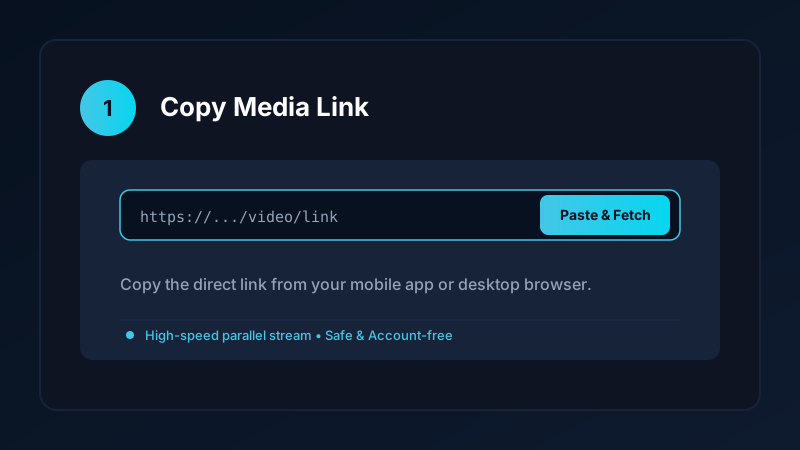
The completed video is saved directly into your device Movies/SaveDownloads folder, immediately visible in Google Photos, Samsung Gallery, and other media players.
How to Convert Dailymotion to MP4 on PC and iPhone
If you are using an iPhone or desktop computer:
- On PC & Laptop: Open the video on
dailymotion.comin Chrome, Edge, or Firefox, copy the web address, and paste it into our verified online tool. Choose dailymotion to mp4 and save the resulting file directly into yourDownloadsfolder. - On iPhone: Copy the video link, open Safari, and paste the URL into our clean online tool. Download the file, open the iOS Files app, tap Share, and tap Save Video to export it to your Photos camera roll. Check our iPhone video download guide for more details.
Completed files play smoothly in VLC, Windows Media Player, and QuickTime.
Extracting Audio and Music From Dailymotion Clips
Many Dailymotion videos feature great musical performances, podcast interviews, or panel discussions. If you do not need the video track:
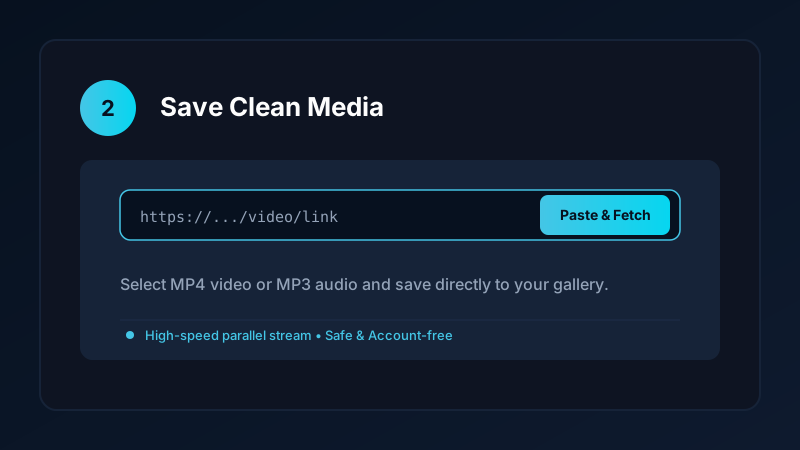
- Paste the video URL into Save Downloads.
- Switch the format selector from MP4 Video to MP3 Audio.
- Tap Download.
The app extracts the audio track and packages it into a standalone 320kbps MP3 file in your Music directory. For more audio workflows, check our YouTube to MP3 guide.
Safe, Account-Free Archiving
Many third-party apps demand that you connect an account before downloading media. This creates severe security hazards:
- Your personal login credentials could be compromised.
- Third-party browser extensions frequently harvest browsing analytics.
Save Downloads operates 100% account-free. You never enter passwords, cookies, or account tokens. As long as a video is public, you can save it anonymously.
Copyright and Fair Use Reminders
When downloading Dailymotion videos:
- Use downloaded clips strictly for personal offline viewing, research, or study.
- Respect creator copyright and never re-upload clips claiming ownership.
- Read our comprehensive legal guide on video downloading.
Watching Sports Matches and Full Documentaries Offline
Dailymotion is renowned for long-form video archives and sports coverage:
- Long-Haul Flights and Commutes: Download full 45-minute football highlights or historical documentaries to keep you entertained during international travel.
- Smart TV Playback: Copy completed MP4 files to a USB flash drive and plug it directly into your smart TV or media player for living room family viewing.
- Multi-Track Audio Support: Save Downloads preserves clean stereo tracks so commentary and stadium sound remain crisp and balanced.
- Hardware Acceleration: Modern phone and PC processors decode MP4 files using dedicated hardware circuits, saving battery life during long playback sessions.
- Managing Large File Sizes: 1080p full-length matches can reach 1 GB in size. Use Save Downloads storage management tools to clear watched videos and free up space.
- Organized League Folders: Keep matches categorized by team and season in separate directories for clean, accessible sports archives on your external hard drive.
Frequently Asked Questions
Can I download Dailymotion videos in 1080p Full HD?
Yes. Save Downloads parses the Dailymotion media manifest and retrieves the highest resolution stream available up to 1080p.
Can I convert Dailymotion videos into MP3 audio files?
Yes. Switch the format selector to MP3 to extract standalone audio tracks for offline listening.
Do I need an account to download public Dailymotion videos?
No. Save Downloads operates 100% account-free without requiring sign-ins, cookies, or subscriptions.
How do I save Dailymotion videos directly to my phone gallery?
Paste the video URL into Save Downloads and tap Download. The file is saved directly into your device Movies folder.
Ultra-Fast VPN & Uncapped Bandwidth
Protect your mobile downloads with military-grade AES-256 encryption. Prevent ISP bandwidth throttling and stream up to 8x faster.
Try Save Downloads for Android
Parallel multi-chunk downloads, lossless 1080p and 4K stream remuxing, WhatsApp status saver, and AES-256 encrypted vault. 100% offline and account-free.
Related Guides & Articles
4K Video Downloader: How to Download High-Resolution Videos
Looking for a true 4k video downloader? Learn how to download Ultra HD 4K and 1080p videos with synchronized sound for offline viewing on TV and mobile.
Best Video Downloader App for Android in 2026
Looking for the best video downloader app for Android? Discover top features to check: offline speed, 1080p/4K with sound, private vault, and no accounts.
How to Download a Full YouTube Playlist
Need a youtube playlist downloader? Learn how to download entire video playlists and music albums in one tap for complete offline viewing.