
Facebook Video to MP3: How to Download Audio
Quick Answer: To convert facebook video to mp3, copy the video link from Facebook, open Save Downloads, and paste the URL. Switch the format selector to MP3 Audio (320kbps) and tap Download. The app extracts the sound track and saves a standalone MP3 audio file directly into your device Music folder.
Facebook is home to thousands of live acoustic concerts, podcast interviews, religious lectures, motivational speeches, and panel debates. Often, the visual video is secondary to the spoken words or music being delivered. Streaming full video when you only want to listen burns battery life and wastes valuable cellular data.
By utilizing a dedicated facebook video to mp3 converter, you can extract crystal-clear audio tracks and build an offline listening library for workouts, commutes, and study sessions.
Why Extract Audio Instead of Saving Full Video?
Converting Facebook videos to standalone MP3 audio files offers major advantages:
- Save Up to 85% Storage: A 30-minute 1080p video file can take 400 MB to 600 MB. The same content saved as a pristine MP3 file requires only 35 MB to 45 MB.
- Listen With Screen Off: Playing audio locally uses a fraction of the processor power required for video decoding, saving smartphone battery life.
- Car and Bluetooth Integration: Load extracted tracks onto a USB drive or play them via Bluetooth in your car without relying on spotty mobile networks.
A dedicated facebook video download mp3 utility extracts the clean audio track with zero video overhead.
How to Convert Facebook Videos to MP3 on Android
Extracting audio on Android takes less than thirty seconds:
- Find the Video: In the Facebook app, find the video featuring the speech, podcast, or concert you want to save.
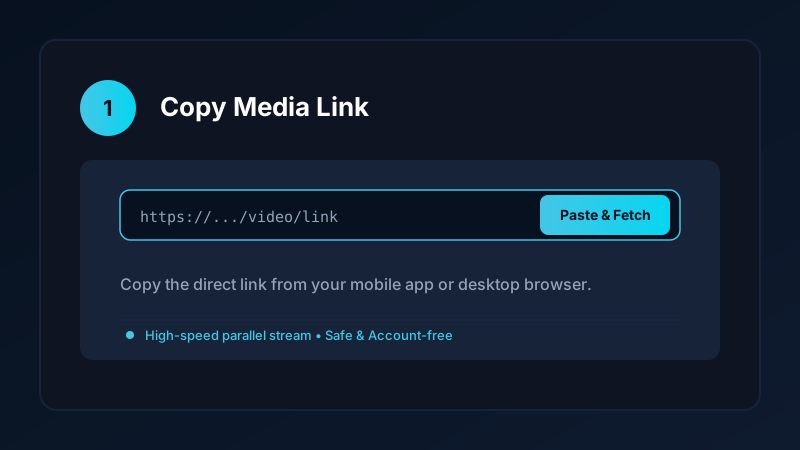
- Copy the Link: Tap the Share button (or three dots) and select Copy link.
- Open Save Downloads: The app detects your copied link automatically.
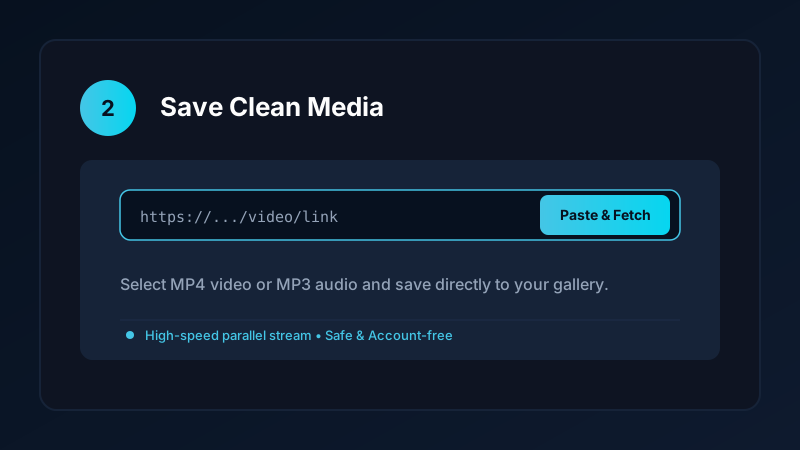
- Choose MP3 Format: Select MP3 Audio (320kbps) for maximum acoustic clarity.
- Tap Download: Save Downloads extracts the sound track and places it into your
Music/SaveDownloadsfolder.
The file is immediately scanned by Android media scanner and becomes visible in music players like VLC, Poweramp, and Google Files.
Audio Quality and Bitrate Considerations
When saving audio from Facebook videos, understanding bitrates ensures great sound:
- Facebook streams audio using the AAC codec at bitrates between 128kbps and 192kbps.
- Save Downloads extracts the stream and packages it into high-fidelity 320kbps MP3 format without downsampling or applying lossy dynamic compression.
- This preserves the punchy bass, clear midrange vocals, and crisp treble frequencies when listening through studio headphones or car stereo speakers.
If you also want to save music from YouTube, read our comprehensive tutorial on how to convert YouTube to MP3 audio.
Managing Offline Audio Playlists and MicroSD Cards
Once you start archiving speeches and music sets, organizing your audio files ensures effortless listening:
- Custom Sound Folders: Create dedicated subdirectories in your Music folder, such as
Music/Lectures,Music/Interviews, andMusic/Concerts. - MicroSD Card Expansion: If your Android phone has an expandable memory slot, you can store hundreds of high-fidelity MP3 tracks on an inexpensive microSD card without taking up internal flash storage.
- Offline Media Players: Third-party players like Poweramp, Musicolet, or VLC automatically detect new MP3 files and allow you to build custom offline queues with equalization.
Privacy First: Safe, Account-Free Downloads
Many shady online tools ask you to log into your Facebook account before downloading audio. Doing so exposes your account to credential theft and suspension:
- Save Downloads operates 100% account-free.
- You never enter passwords, cookies, or account tokens.
- All public videos are converted anonymously without tracking your personal browsing habits.
Copyright Notice and Creator Respect
When using a facebook downloader mp3 tool:
- Extracted audio tracks should be used strictly for personal enjoyment, offline study, or private reference.
- If you use a spoken quote in your own creative video, always credit the speaker or creator in your description.
- Never upload someone else’s copyrighted music to commercial platforms. Read our overview on video and audio downloading ethics.
Creating Road Trip Playlists and Car Audio USB Drives
Extracting MP3 audio from Facebook video interviews and live sets unlocks maximum portability:
- Car Audio Systems: Older vehicle head units often lack CarPlay or Android Auto, but virtually all car stereos include a USB port that reads standard MP3 files.
- Cellular Dead Zones: When driving through remote mountainous or rural regions where mobile streaming buffers constantly, your offline MP3 library plays without interruption.
- Spoken Word Clarity: Choosing 320kbps MP3 ensures voice frequencies remain crisp and easy to understand over engine and highway road noise.
Frequently Asked Questions
Can I convert Facebook videos into MP3 audio files?
Yes. An audio extractor separates the sound track from the visual video and saves a standalone 320kbps MP3 file.
What audio quality does Facebook video use?
Facebook streams audio up to 128kbps to 192kbps AAC. Save Downloads preserves this full dynamic range in clean MP3 format.
Can I play extracted MP3 files in my car stereo?
Yes. MP3 files can be transferred to USB flash drives or streamed via Bluetooth to any car audio system.
Is facebook downloader mp3 conversion free on Save Downloads?
Yes. Save Downloads extracts unlimited audio tracks completely free with zero subscription fees or sign-in requirements.
Ultra-Fast VPN & Uncapped Bandwidth
Protect your mobile downloads with military-grade AES-256 encryption. Prevent ISP bandwidth throttling and stream up to 8x faster.
Try Save Downloads for Android
Parallel multi-chunk downloads, lossless 1080p and 4K stream remuxing, WhatsApp status saver, and AES-256 encrypted vault. 100% offline and account-free.
Related Guides & Articles
4K Video Downloader: How to Download High-Resolution Videos
Looking for a true 4k video downloader? Learn how to download Ultra HD 4K and 1080p videos with synchronized sound for offline viewing on TV and mobile.
Best Video Downloader App for Android in 2026
Looking for the best video downloader app for Android? Discover top features to check: offline speed, 1080p/4K with sound, private vault, and no accounts.
How to Download a Full YouTube Playlist
Need a youtube playlist downloader? Learn how to download entire video playlists and music albums in one tap for complete offline viewing.