
Video Converter: Convert Downloaded Videos to MP4 or MP3
Quick Answer: A video converter transforms web video links into universal formats like MP4 for video or MP3 for audio. Paste the link into Save Downloads, select MP4 Video (1080p/720p) or MP3 Audio (320kbps), and tap Download. The app packages the media into standard files that play smoothly across phones, laptops, and car stereos.
Digital media comes in a dizzying array of formats and codecs: WebM, MKV, AVI, MOV, FLAC, Opus, AAC, and MP4. Trying to play an uncommon video container on an older smart TV, car stereo, or basic mobile phone often results in frustrating errors like “Format Not Supported” or “Codec Missing.”
In this comprehensive guide, you will learn how an efficient free video converter to mp4 works, why container selection matters, and how to convert video to MP3 easily.
MP4 vs MP3: Choosing the Right Container for Your Needs
Understanding the difference between video and audio containers saves storage space and ensures compatibility:
- MP4 (MPEG-4 Part 14): The undisputed global standard for digital video. It combines high-definition visual frames (encoded in H.264 or H.265) with crystal-clear audio tracks (AAC) in a single file. Supported by 100% of modern consumer devices.
- MP3 (MPEG-1 Audio Layer III): The universal standard for digital audio. Strips away heavy visual frames to deliver a lightweight file taking up to 90% less storage space than a video file. Plays natively on every car dashboard, smartwatch, and audio player.
A versatile mp4 converter download utility gives you the flexibility to choose video when visuals are needed, or audio when you just want to listen.
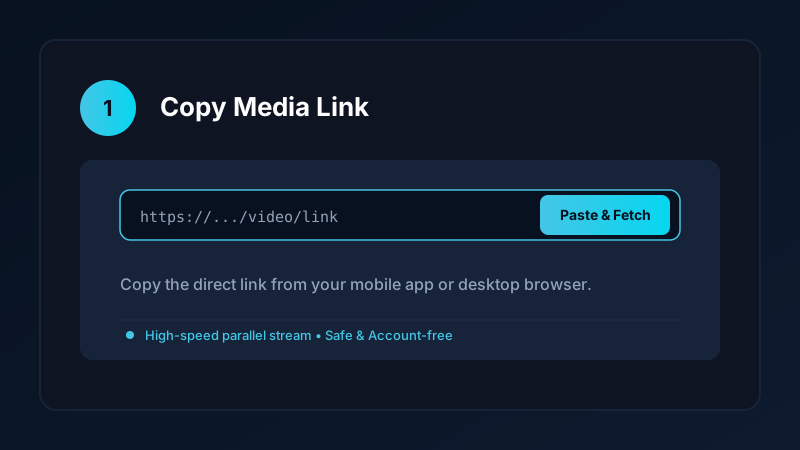
How to Convert Video Links to MP4 or MP3 on Android
Using Save Downloads to convert and download media is straightforward:
- Copy the Link: Open your favorite video platform (YouTube, Facebook, Vimeo, TikTok) and copy the video URL.
- Open Save Downloads: The application detects your copied link automatically.
- Select Your Output Format:
- For video: Choose MP4 and select your resolution (1080p Full HD or 720p).
- For audio: Choose MP3 and select 320kbps or 192kbps.
- Tap Download: The app converts and packages the stream directly into your device storage.
Completed MP4 files appear in your phone gallery under Movies, while MP3 files appear under Music.
Why Direct Stream Extraction Beats Heavy Re-encoding
Many traditional desktop conversion software tools take 10 to 20 minutes to re-encode a video file, heating up your computer processor and introducing blurry compression artifacts:
- Lossy Transcoding: Traditional converters decode every video frame and re-compress it, degrading color depth and introducing pixelation.
- Direct Stream Remuxing: Save Downloads retrieves the original high-quality visual and audio streams directly from the source server and packages them into standard MP4/MP3 containers without re-compressing the video data.
- Lightning Speed: Conversion finishes in seconds rather than minutes, with zero loss of visual clarity or acoustic fidelity.
Converting Social Videos to MP3 for Car Stereos
A popular use case for a video mp3 converter is creating custom audio libraries for vehicle playback:
- Many car stereos lack Bluetooth streaming or CarPlay, but virtually all vehicle head units include a USB flash drive port.
- By converting concert sets, interviews, and music videos to MP3, you can load hundreds of songs onto a small USB thumb drive.
- Your music plays continuously without buffering, even when driving through remote rural highways with zero mobile coverage.
For more audio techniques, read our YouTube to MP3 guide.
Ethical Guidelines and Fair Use
When using a video converter:
- Convert media solely for personal offline viewing, research, or study.
- Respect creator copyright and original publisher licenses.
- Read our comprehensive legal guide on video downloading.
Comparing Audio Bitrates: 320kbps vs 192kbps vs 128kbps
When converting video to MP3, selecting the right bitrate balances acoustic clarity with storage efficiency:
- 320 kbps Studio Quality: The highest standard MP3 bitrate. Delivers deep bass response, transparent midranges, and crisp highs. Perfect for music albums and live concert recordings.
- 192 kbps High Definition: Outstanding balance of clarity and efficiency. Ideal for podcasts, talk shows, audiobooks, and conference presentations.
- 128 kbps Standard Quality: Lightweight files taking up minimal storage space. Great for voice notes, quick reference memos, and basic spoken dialogue.
Save Downloads gives you complete control over audio quality with a single tap before conversion.
- Universal Tagging and Album Metadata: When converting files, the app retains clean track titles so music player apps can index and search your songs effortlessly.
Frequently Asked Questions
What is the difference between MP4 and MP3?
MP4 is a video container format storing both video frames and audio tracks. MP3 is an audio-only format designed for music and voice.
Can I convert video files to MP3 without quality loss?
Yes. A direct audio extractor separates the audio track from the video stream without lossy dynamic re-encoding.
Why is MP4 considered the most universal video format?
MP4 is supported by hardware decoders across every iPhone, Android phone, Windows PC, Mac, smart TV, and car console.
Does Save Downloads include built-in format conversion?
Yes. When you paste any link into Save Downloads, you can choose MP4 video or MP3 audio before downloading.
Ultra-Fast VPN & Uncapped Bandwidth
Protect your mobile downloads with military-grade AES-256 encryption. Prevent ISP bandwidth throttling and stream up to 8x faster.
Try Save Downloads for Android
Parallel multi-chunk downloads, lossless 1080p and 4K stream remuxing, WhatsApp status saver, and AES-256 encrypted vault. 100% offline and account-free.
Related Guides & Articles
4K Video Downloader: How to Download High-Resolution Videos
Looking for a true 4k video downloader? Learn how to download Ultra HD 4K and 1080p videos with synchronized sound for offline viewing on TV and mobile.
Best Video Downloader App for Android in 2026
Looking for the best video downloader app for Android? Discover top features to check: offline speed, 1080p/4K with sound, private vault, and no accounts.
How to Download a Full YouTube Playlist
Need a youtube playlist downloader? Learn how to download entire video playlists and music albums in one tap for complete offline viewing.