
Video Downloader for Chrome: Extension vs Online Tool vs App
Quick Answer: Finding a reliable video downloader chrome extension is challenging because Google Web Store policies strictly prohibit extensions from downloading YouTube videos. Furthermore, many extensions request sweeping permissions to track your browsing data. The safest solution is using a clean online web tool or a native application like Save Downloads.
Google Chrome is the world’s most widely used web browser, making it the primary gateway through which billions of people watch social media clips, tutorials, and entertainment. Naturally, millions of users search for browser extensions hoping to download videos with a single click.
In this guide, we examine why Chrome extensions face severe functional and security limitations, and why external tools and native applications provide a far superior experience.
Why Chrome Web Store Extensions Block YouTube Downloads
Many users install an extension only to find that it works on some websites but completely refuses to work on YouTube:
- Google Web Store Policy: Google owns both the Chrome browser and YouTube. Developer program policies strictly forbid any extension hosted in the official Chrome Web Store from downloading YouTube content.
- Disabled Buttons: Extensions that claim to be a youtube video downloader chrome utility will simply disable their download button or display an error message whenever you visit YouTube.
- The Workaround Trap: Some sites advise installing unpacked developer extensions from untrusted sources, which bypasses Google security checks and puts your computer at risk.
The Hidden Security Hazards of Browser Extensions
Even for non-YouTube platforms where a facebook video downloader chrome extension might work, extensions pose notable security trade-offs:
- Broad Permissions: To detect videos, extensions demand permission to “Read and change all your data on all websites you visit.” This gives the extension access to your browsing history, cookies, and even keystrokes on form fields.
- Ownership Transfers: Highly rated extensions with millions of users are frequently bought by shadowy advertising conglomerates. Once acquired, the new owners push silent updates containing affiliate injection scripts and data trackers.
- Browser Slowdown: Running media-sniffing extensions across every open browser tab consumes memory and causes noticeable browser lag.
Using a dedicated external tool or native application eliminates these privacy risks completely.
Comparison: Chrome Extension vs Web Tool vs Native App
| Feature | Chrome Extension | Online Web Tool | Native Save Downloads App |
|---|---|---|---|
| YouTube Support | Blocked by Google policy | Supported | Fully supported in 1080p/4K |
| Browser Permissions | Requires full data access | None | None (isolated sandboxed app) |
| Data Privacy Risk | High (history tracking) | Low (transient web link) | Zero (100% offline, account-free) |
| Download Speeds | Standard single-thread | Standard single-thread | Multi-threaded 8x acceleration |
| Multi-Platform Sync | Desktop Chrome only | Any browser | Android, tablet, and upcoming PC |
How to Safely Download Videos While Using Chrome
You do not need invasive extensions to download media in Google Chrome:
- Open the video page in Chrome.
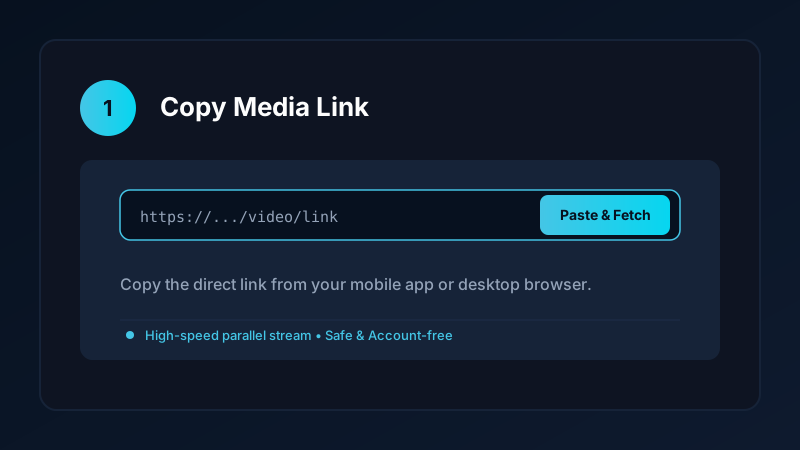
- Copy the web URL from the address bar.
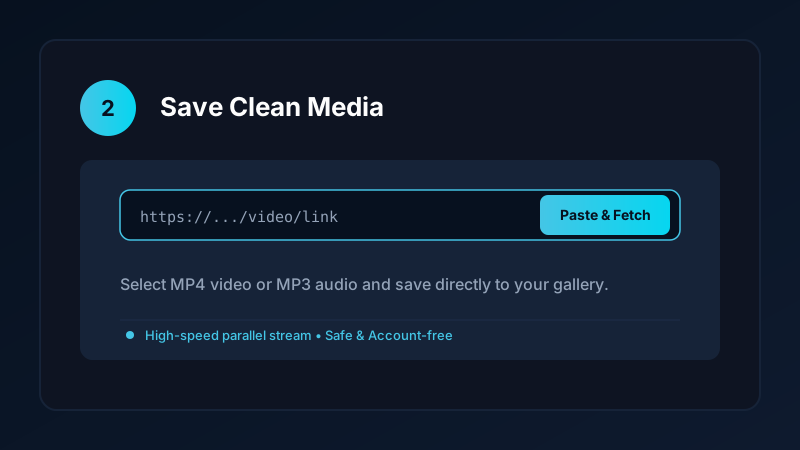
- Paste the URL into our verified online downloader or open Save Downloads on your phone.
- Select 1080p MP4 and click Download.
The file downloads smoothly through Chrome’s standard native download manager directly into your Downloads folder, with zero third-party extensions monitoring your activity.
Ethical and Fair-Use Guidelines
When saving video media from Chrome:
- Download content solely for personal offline viewing, research, or fair-use study.
- Respect creator copyright and original publisher licenses.
- Read our comprehensive legal guide on video downloading.
The Evolution of Browser Extensions and Manifest V3
Understanding why modern browser extensions are increasingly restricted:
- Manifest V3 Architecture: Google has transitioned Chrome extensions to Manifest V3, which places strict limits on background script execution and dynamic network interception.
- Reduced Functionality: Many legacy video downloader extensions have stopped functioning or can no longer detect complex adaptive video streams.
- The Stability of Native Apps: Native desktop and mobile applications operate independently of browser updates, ensuring your download workflow never breaks when Chrome updates.
- Zero Browser Bloat: Keeping your browser free of heavy media-sniffing extensions ensures Chrome starts faster and uses less system RAM.
- Alternative Standalone Web Utilities: Using clean web portals that run outside of your browser extension bar protects your browsing privacy and ensures reliable stream fetching.
- Managing Multiple Browser Profiles: If you use Google Chrome across work and personal Google accounts, avoiding extensions ensures your private viewing history is never mixed with corporate analytics.
Frequently Asked Questions
Can Chrome extensions download YouTube videos?
No. Chrome Web Store developer policies strictly prohibit extensions from downloading videos from YouTube.
Are video downloader Chrome extensions safe?
Many popular extensions are eventually sold to third-party data brokers who inject tracking code. Dedicated apps and web tools are safer.
How can I download Facebook videos using Google Chrome?
Copy the Facebook video link in Chrome and paste it into Save Downloads or our online tool to download the MP4 file.
What is the best alternative to browser extensions?
An account-free native application or clean web tool avoids browser permissions and operates safely offline.
Ultra-Fast VPN & Uncapped Bandwidth
Protect your mobile downloads with military-grade AES-256 encryption. Prevent ISP bandwidth throttling and stream up to 8x faster.
Try Save Downloads for Android
Parallel multi-chunk downloads, lossless 1080p and 4K stream remuxing, WhatsApp status saver, and AES-256 encrypted vault. 100% offline and account-free.
Related Guides & Articles
4K Video Downloader: How to Download High-Resolution Videos
Looking for a true 4k video downloader? Learn how to download Ultra HD 4K and 1080p videos with synchronized sound for offline viewing on TV and mobile.
Best Video Downloader App for Android in 2026
Looking for the best video downloader app for Android? Discover top features to check: offline speed, 1080p/4K with sound, private vault, and no accounts.
Video Download Karne Wala App: Phone Mein Video Kaise Download Karein
Dhoond rahe hain behtareen video download karne wala app? Janein phone mein YouTube, Facebook aur TikTok video kaise download karein gallery mein.