
Facebook to MP4: How to Download Facebook Videos as MP4
Quick Answer: To convert facebook to mp4, copy the video link from Facebook, open Save Downloads, and paste the URL. Select MP4 Video as your preferred format, choose your resolution (1080p or 720p), and tap Download. The app packages the video into a standard, universally playable MP4 file saved to your device storage.
Facebook is a massive repository of informative video content—from hands-on woodworking tutorials and auto repair breakdowns to culinary classes and live concert performances. However, trying to watch these videos outside the Facebook mobile app often runs into proprietary streaming hurdles.
By utilizing a dedicated facebook to mp4 converter, you transform web links into standard .mp4 video files that play smoothly across every operating system, device, and editing application.
Why MP4 Is the Gold Standard for Digital Video
While streaming platforms frequently wrap video in adaptive web containers to minimize network overhead, MP4 remains the premier choice for personal archiving:
- Universal Device Compatibility: MP4 files play without extra codecs on Windows Media Player, QuickTime on macOS, VLC, Android gallery apps, iPhones, and smart TVs.
- Hardware Acceleration: Smartphone processors have dedicated silicon decoders for MP4 video, providing smooth 60fps playback with minimal battery drain.
- Editing Ready: Video editors like Premiere Pro, DaVinci Resolve, Final Cut Pro, and CapCut import MP4 files instantly without conversion lag.
Using a reliable facebook to mp4 converter ensures your archived video files remain accessible for decades.
How to Convert Facebook Videos to MP4 on Android
Saving an MP4 video on your mobile phone takes only four steps:
- Copy the Link: Open Facebook, tap the three dots or Share button on any video post, and select Copy link.
- Open Save Downloads: The application detects your copied URL automatically.
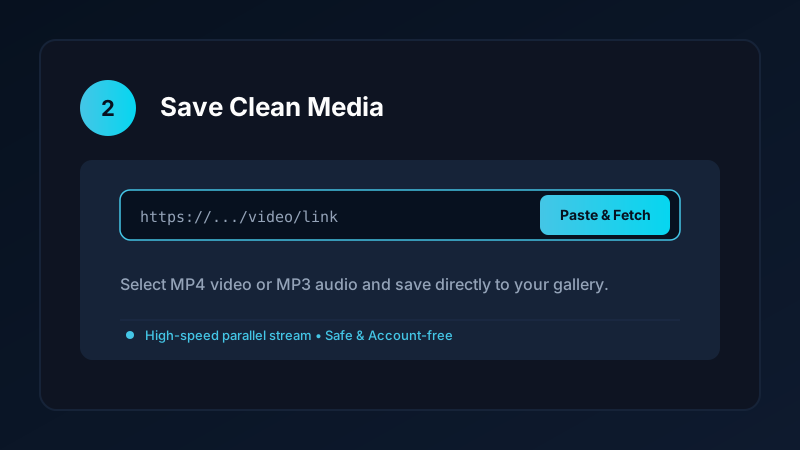
- Select MP4 Resolution: Choose between 1080p Full HD or 720p HD.
- Start Download: Tap Download to save the file into your device storage.
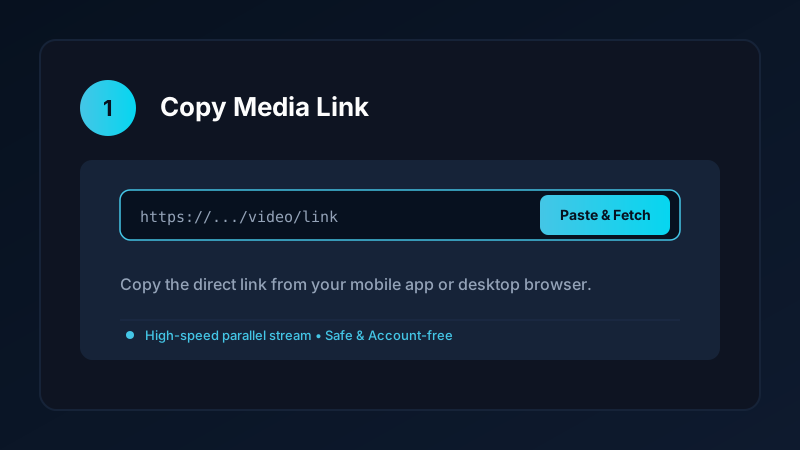
Unlike web-based fb to mp4 services that force you through endless redirect ads, Save Downloads downloads the clean video directly to your storage.
Eliminating Audio Drift and Synchronization Errors
A common flaw with cheap online converters is audio drift—where speech does not match lip movements:
- Facebook often stores high-definition video and audio tracks separately on its servers.
- Low-quality online tools rush the re-packaging process, introducing timing errors in the file header.
- Save Downloads performs precise stream alignment, ensuring that speech, background music, and sound effects remain perfectly synchronized throughout the clip.
Whether saving a 30-second comedic sketch or a 2-hour conference lecture, your downloaded file maintains studio-quality synchronization.
Converting Facebook Video to MP4 on PC and Laptop
If you are working on a desktop computer:
- Open Facebook in your web browser (Chrome, Edge, Firefox).
- Copy the video link from your browser address bar.
- Paste the URL into our verified online tool or upcoming Windows application.
- Select MP4 format to save the video directly to your computer
Downloadsfolder.
You can then import the file into desktop editing software or back it up to an external hard drive. For more desktop options, read our guide on how to download videos on PC and laptop.
Managing Your Stored MP4 Media
Over time, downloading high-definition MP4 clips can accumulate significant disk space. Keep your phone running fast with these tips:
- Audit Old Clips: Use the built-in storage manager in Save Downloads to identify large video files and delete duplicate clips.
- Secure Confidential Media: Move private video clips into the encrypted offline vault to hide them from your public gallery.
- Audio Conversion: If you only need the spoken audio or background song, convert the file to MP3. Explore our guide on how to convert Facebook video to MP3.
Ethical Guidelines and Fair Use
When using a facebook video to mp4 converter:
- Download content only for personal offline study, reference, or fair-use commentary.
- Never republish or monetize other creators’ content without express written consent.
- Review our complete overview on video downloading laws and ethics.
Creating Organized Media Backups on External Hard Drives
For users archiving large collections of documentary videos and community tutorials:
- External USB SSD Storage: Transferring MP4 files from your phone or PC to an external SSD creates a permanent offline backup that never relies on social media servers.
- Naming Conventions: Rename your saved files with date and topic tags, such as
2026-11-Woodworking-Joints.mp4, to ensure easy searching in desktop file managers. - MicroSD Card Storage: On Android phones, you can set Save Downloads to write directly to your external microSD card, saving your phone internal flash memory.
Frequently Asked Questions
Why should I convert Facebook videos to MP4 format?
MP4 is universally compatible across Android, iPhone, Windows, Mac, and smart TVs, ensuring error-free offline playback.
Does facebook to mp4 conversion reduce video resolution?
No. Direct stream downloaders like Save Downloads package the original source video stream without lossy re-encoding.
Can I convert Facebook links to MP4 on a desktop computer?
Yes. You can paste the link into a web converter or our upcoming Windows desktop app to download the MP4 file.
Is facebook to mp4 conversion free on Save Downloads?
Yes. Save Downloads provides unrestricted, free MP4 video downloading with zero daily limits or hidden fees.
Ultra-Fast VPN & Uncapped Bandwidth
Protect your mobile downloads with military-grade AES-256 encryption. Prevent ISP bandwidth throttling and stream up to 8x faster.
Try Save Downloads for Android
Parallel multi-chunk downloads, lossless 1080p and 4K stream remuxing, WhatsApp status saver, and AES-256 encrypted vault. 100% offline and account-free.
Related Guides & Articles
4K Video Downloader: How to Download High-Resolution Videos
Looking for a true 4k video downloader? Learn how to download Ultra HD 4K and 1080p videos with synchronized sound for offline viewing on TV and mobile.
Best Video Downloader App for Android in 2026
Looking for the best video downloader app for Android? Discover top features to check: offline speed, 1080p/4K with sound, private vault, and no accounts.
How to Download a Full YouTube Playlist
Need a youtube playlist downloader? Learn how to download entire video playlists and music albums in one tap for complete offline viewing.