
How to Download Instagram Reels on Phone, PC and Online
Quick Answer: To perform an instagram reels download, tap the Share button (paper airplane icon) or three dots on any public Instagram Reel and choose Copy link. Paste the link into the Save Downloads search bar, select 1080p HD, and tap Download. The video and audio save together as a clean MP4 file in your phone gallery.
Instagram Reels has become the premier destination for creative lifestyle content, fashion showcases, culinary masterclasses, comedy shorts, and photography tips. However, saving an inspiring Reel for future reference using Instagram’s native “Save” button merely bookmarks the post inside the app—leaving you stranded if you have no internet connection or if the post is archived.
In this guide, you will discover how to download instagram reels directly to your device storage across Android, iPhone, and desktop computers.
Why Native In-App Saving Is Not Enough
Instagram offers an in-app “Save” feature, but it comes with critical limitations:
- No Offline Viewing: You cannot view bookmarked Reels on airplanes, camping trips, or in subway transit without active Wi-Fi or data.
- Vanishing Content: If the creator changes their account to private, deletes the Reel, or the background audio is muted due to licensing issues, your bookmark becomes useless.
- No Direct Sharing: You cannot share bookmarked clips directly into WhatsApp, Telegram, or email without sending a web link that forces friends to log in.
Using a dedicated ig reels downloader ensures you keep a permanent, standalone MP4 file on your device.
How to Download Instagram Reels on Android Step by Step
Saving an Instagram Reel on Android requires just four simple taps:
- Find the Reel: Open the Instagram app and find the public Reel you want to keep.
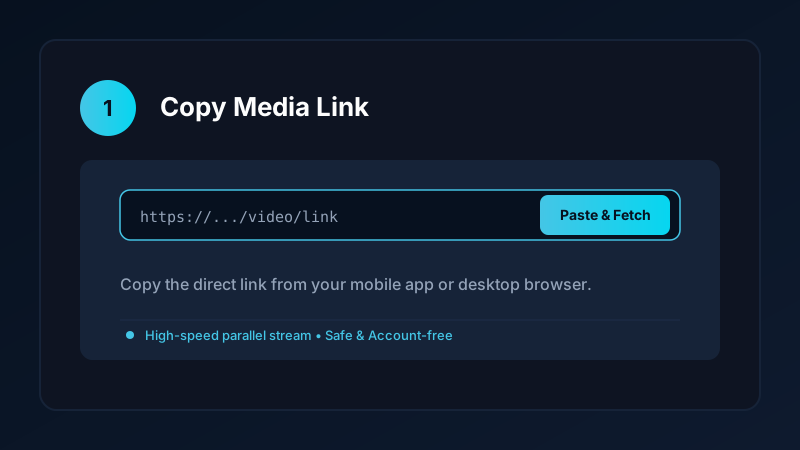
- Copy the Link: Tap the Paper Airplane icon (Share) and select Copy link, or tap the three dots in the corner and tap Copy link.
- Open Save Downloads: The app detects the copied link from your clipboard automatically.
- Download in HD: Choose your desired resolution and tap Download.
The completed video is saved directly into your device Movies/SaveDownloads folder, immediately visible in Google Photos, Samsung Gallery, and other gallery apps.
How to Download Insta Reels on iPhone
Saving Reels on an Apple device is simple using Safari:
- Copy the Reel link in the Instagram app.
- Open Safari and visit our clean online downloader.
- Paste the URL and tap Download.
- Tap the download icon in the Safari address bar, open the file in the Files app, tap Share, and tap Save Video.
The Reel is now saved directly into your Apple Photos camera roll, ready to watch offline anytime. For more iPhone tips, check our iOS video downloading guide.
Using a Reels Downloader Online on PC and Laptop
If you are browsing on a computer:
- Navigate to
instagram.comon Chrome, Edge, or Firefox. - Click the three dots on the Reel and select Copy link.
- Open a verified reels downloader online or our upcoming Windows desktop application.
- Download the resulting MP4 file directly into your computer
Downloadsfolder.
Vertical Reels play smoothly in VLC Media Player or the default Windows 11 Media Player.
Extracting Audio and Music From Instagram Reels
Many creators pair their visuals with viral acoustic covers, trending audio snippets, or motivational voiceovers. If you only want the sound track:
- Paste the Reel URL into Save Downloads.
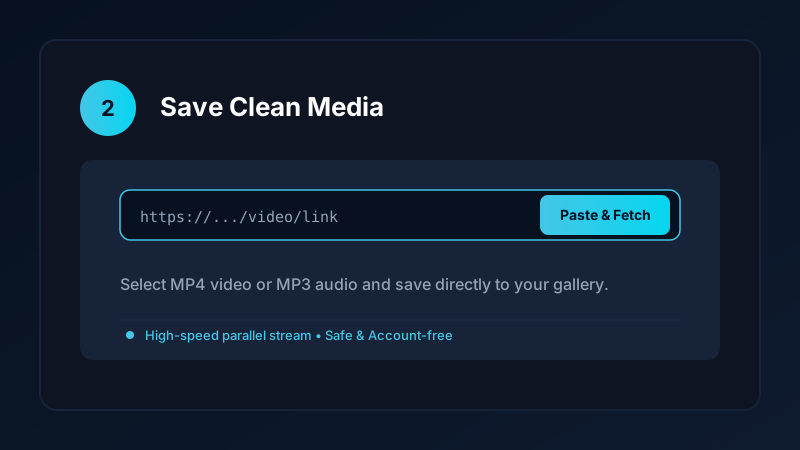
- Switch the format selector from MP4 Video to MP3 Audio.
- Tap Download.
The app extracts the pure audio stream, delivering a 320kbps MP3 file suitable for offline listening or custom ringtones. Explore our dedicated guide on how to download audio from Instagram Reels.
Privacy First: No Account Sign-In Required
Many suspicious third-party apps demand that you log into your personal Instagram account before downloading media. This creates severe security risks:
- Your account credentials could be compromised.
- Your account may face action or temporary suspension from Instagram for logging in via unauthorized third-party clients.
Save Downloads operates 100% account-free. You never enter passwords, cookies, or personal tokens. As long as a Reel is publicly accessible, the app downloads it without tracking your identity.
Ethical and Copyright Guidelines
When saving Instagram Reels:
- Save clips for personal inspiration, study, or non-commercial reference.
- Respect creator copyright and never re-upload content claiming ownership.
- Read our full overview on content downloading laws and ethics.
Displaying Reels on Large Screens and Smart TVs
While Instagram is optimized for smartphones, many educational and travel Reels look spectacular on larger displays:
- Casting via Google Cast or AirPlay: Once saved as an MP4 file on your phone, you can beam the video directly to your Chromecast, Android TV, or Apple TV without opening the Instagram app.
- Classroom Presentations: Teachers and educators can import saved Reels directly into PowerPoint or Google Slides presentations for offline classroom lectures.
- Family Sharing: Watch cooking recipes or travel documentaries together in the living room without everyone huddling around a small phone screen.
Frequently Asked Questions
Can I download Instagram Reels with audio included?
Yes. A complete reels downloader fetches both the video stream and the background sound, saving a synchronized MP4 file.
Do I need an Instagram account to download public Reels?
No. Save Downloads works completely account-free; you do not need to log into Instagram or share your credentials.
How do I save Instagram Reels directly to my phone gallery?
Paste the Reel URL into Save Downloads and tap Download. The file is saved directly to your phone Movies folder and gallery.
Can I download Reels on iPhone?
Yes. Use Safari to download the video file, then export it from the Files app into your Apple Photos camera roll.
Ultra-Fast VPN & Uncapped Bandwidth
Protect your mobile downloads with military-grade AES-256 encryption. Prevent ISP bandwidth throttling and stream up to 8x faster.
Try Save Downloads for Android
Parallel multi-chunk downloads, lossless 1080p and 4K stream remuxing, WhatsApp status saver, and AES-256 encrypted vault. 100% offline and account-free.
Related Guides & Articles
4K Video Downloader: How to Download High-Resolution Videos
Looking for a true 4k video downloader? Learn how to download Ultra HD 4K and 1080p videos with synchronized sound for offline viewing on TV and mobile.
Best Video Downloader App for Android in 2026
Looking for the best video downloader app for Android? Discover top features to check: offline speed, 1080p/4K with sound, private vault, and no accounts.
How to Download a Full YouTube Playlist
Need a youtube playlist downloader? Learn how to download entire video playlists and music albums in one tap for complete offline viewing.