
How to Save a TikTok Video to Your Gallery

Quick Answer: To save tiktok video clips to your gallery, tap the Share button on the TikTok clip, choose Copy link, and open Save Downloads. Tap Download, and the video is automatically indexed into your device camera roll, Google Photos, or Samsung Gallery under your Movies folder for offline playback.
Finding a hilarious comedy skit, an inspiring DIY home improvement guide, or a delicious recipe on TikTok is easy—but keeping track of it for later is a challenge. If the creator deletes the clip, or your internet connection goes down while you are cooking dinner, you lose access to that vital information.
Learning how to save tiktok video files directly to your phone gallery ensures your favorite media remains safe, organized, and available at a moment’s notice.
Why Save TikTok Videos to Your Local Gallery?
Relying on in-app bookmarks or “Favorites” folders has serious disadvantages:
- Disappearing Content: If a creator changes their account privacy to private, deletes their post, or the audio is muted due to licensing changes, your bookmarked video disappears forever.
- Offline Reliability: When you are camping, traveling on flights, or stuck in areas with low cellular reception, in-app favorites cannot play.
- Easy Sharing: Having a local MP4 file allows you to send clips directly to family and group chats on WhatsApp, Signal, or Telegram without forcing friends to open external app links.
Using a dedicated tiktok saver utility gives you permanent ownership over the content you archive.
How to Save a TikTok Video to Gallery on Android
The process is fast and requires no complicated software:
- Find Your Video: Open TikTok and play the video you wish to save.
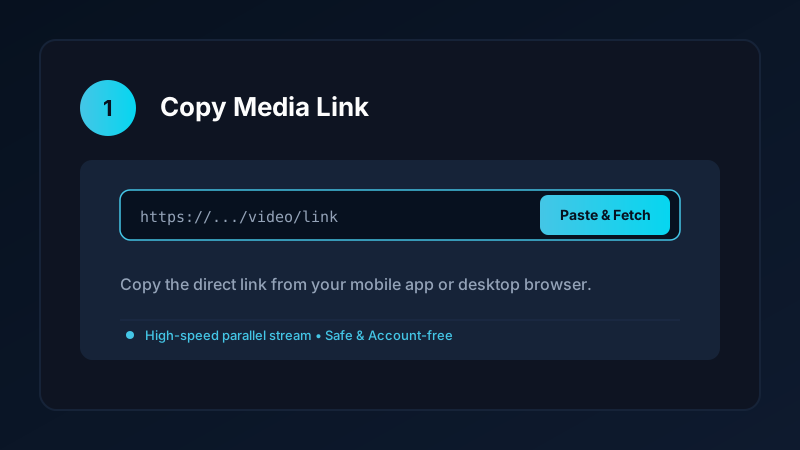
- Execute TikTok Copy Link: Tap the Share icon and select Copy link.
- Open Save Downloads: The app immediately recognizes the link in your clipboard.
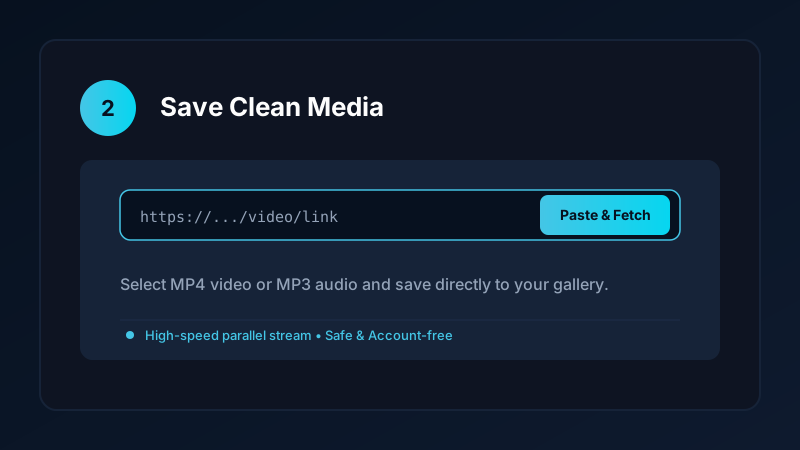
- Tap Download: The app retrieves the video and places it in your public
Movies/SaveDownloadsdirectory.
Within seconds, you can open Google Photos or Samsung Gallery, navigate to your Albums tab, and play your saved video smoothly.
Troubleshooting: Why Isn’t the Video Appearing in My Gallery?
If you have tried other tools to save video from tiktok and found that the video was nowhere to be seen in your camera roll, the issue usually stems from one of three factors:
1. App-Private Sandboxing
Many low-quality downloaders store media in their own internal sandbox directories (such as /Android/data/app_name/files). Android prevents standard gallery apps from indexing these private folders. Save Downloads solves this by saving to standardized public media storage.
2. Media Scanner Delays
Android uses a background service called the MediaScanner to catalog new photos and videos. If an app does not notify the system when a download finishes, your gallery may take hours to show the file. Save Downloads triggers an immediate system broadcast upon completion.
3. File Extension Mismatches
If a web tool saves a video with a missing .mp4 extension or a generic .bin label, gallery apps will ignore it. Ensure all files end in .mp4 for universal recognition.
How to Save TikTok Videos to Camera Roll on iPhone
If you are using an Apple device, iOS requires a slightly different workflow:
- Copy the video link from TikTok.
- Visit a clean online tool in Safari.
- Tap Download and confirm the Safari popup.
- Open the iOS Files app and go to Downloads.
- Tap the video, tap the Share button, and select Save Video.
This moves the file from the Files sandbox directly into your Apple Photos camera roll. For detailed iOS instructions, see our guide to downloading videos on iPhone.
Organizing Your Gallery With Custom Folders
Once you accumulate dozens of saved clips, your camera roll can quickly become messy. We recommend creating organized albums:
- Cooking & Recipes: Group all meal preparation videos together for quick access in the kitchen.
- Workouts: Keep fitness routines in one album so you can loop them at the gym.
- Tutorials & Hacks: Store life hacks and tech tips in an easily searchable collection.
If you also download short videos from other platforms, read our tutorial on how to download YouTube Shorts in HD.
Copyright and Fair Use Reminders
When you tiktok save video files:
- Save content strictly for personal, non-commercial offline enjoyment.
- Never re-upload creators’ videos to other platforms claiming them as your own.
- Respect copyright holders and review our overview of video downloading laws.
Frequently Asked Questions
How do I save a TikTok video directly to my phone gallery?
Copy the video link, open Save Downloads, and tap Download. The app saves the file to your public Movies folder, making it instantly visible in your gallery.
Why does my downloaded TikTok video not show up in my gallery?
Some downloaders save files to hidden app directories. Save Downloads triggers the Android media scanner so files appear immediately.
Can I save video from TikTok on iPhone to Camera Roll?
Yes. Download the video via Safari, open it in the Files app, tap Share, and choose Save Video to add it to your Photos app.
Is it safe to use a third-party tiktok saver app?
Choose account-free apps like Save Downloads that require zero logins, do not track browsing data, and operate safely offline.
Ultra-Fast VPN & Uncapped Bandwidth
Protect your mobile downloads with military-grade AES-256 encryption. Prevent ISP bandwidth throttling and stream up to 8x faster.
Try Save Downloads for Android
Parallel multi-chunk downloads, lossless 1080p and 4K stream remuxing, WhatsApp status saver, and AES-256 encrypted vault. 100% offline and account-free.
Related Guides & Articles
4K Video Downloader: How to Download High-Resolution Videos
Looking for a true 4k video downloader? Learn how to download Ultra HD 4K and 1080p videos with synchronized sound for offline viewing on TV and mobile.
Best Video Downloader App for Android in 2026
Looking for the best video downloader app for Android? Discover top features to check: offline speed, 1080p/4K with sound, private vault, and no accounts.
How to Download a Full YouTube Playlist
Need a youtube playlist downloader? Learn how to download entire video playlists and music albums in one tap for complete offline viewing.