
Instagram Video Downloader: Download Videos Without a Watermark
Quick Answer: A high-quality video downloader for instagram saves original, watermark-free MP4 video files directly from public posts, Reels, and carousels. Copy the link from Instagram, paste it into Save Downloads, choose 1080p HD, and tap Download. The file is saved directly to your device storage with full video and audio fidelity.
Instagram has grown into a rich media platform filled with educational tutorials, creative documentaries, viral comedy, and stunning landscape cinematography. Whether you want to preserve a digital portfolio of your own creative uploads or keep practical tutorials accessible offline, having an effective video downloader for instagram is indispensable.
In this guide, we explore how clean Instagram video downloading works, how to handle different media types, and how to protect your online security.
Different Types of Instagram Video Content
Instagram hosts several distinct video formats, each optimized for different screen orientations:
- Instagram Reels: Vertical 9:16 aspect ratio videos up to 90 seconds, featuring music tracks and voiceovers.
- Feed Videos: Standard 1:1 square, 4:5 vertical, or 16:9 widescreen video posts displayed directly on the primary feed.
- Carousel Video Slides: Multi-item posts containing a mix of photos and videos in a swipeable gallery format.
- Instagram Stories: Ephemeral 24-hour video updates shared by creators.
Save Downloads automatically identifies the media type from your pasted link and retrieves the highest resolution stream available.
How to Download Clean Instagram Videos on Android
Saving media on your Android smartphone is straightforward:
- Find the Video: In the Instagram app, locate the video post or Reel you want to save.
- Copy the Post Link: Tap the three dots in the upper-right corner (or the paper airplane Share icon) and choose Copy link.
- Open Save Downloads: The application detects your clipboard URL instantly.
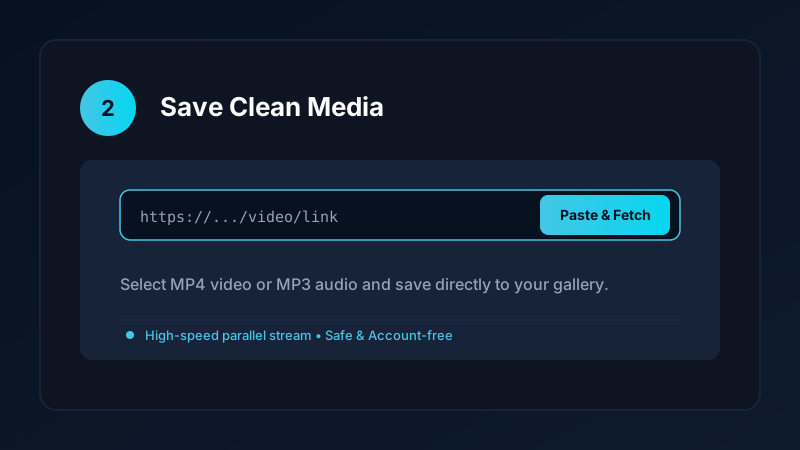
- Select Resolution & Download: Choose your preferred MP4 quality and tap Download.
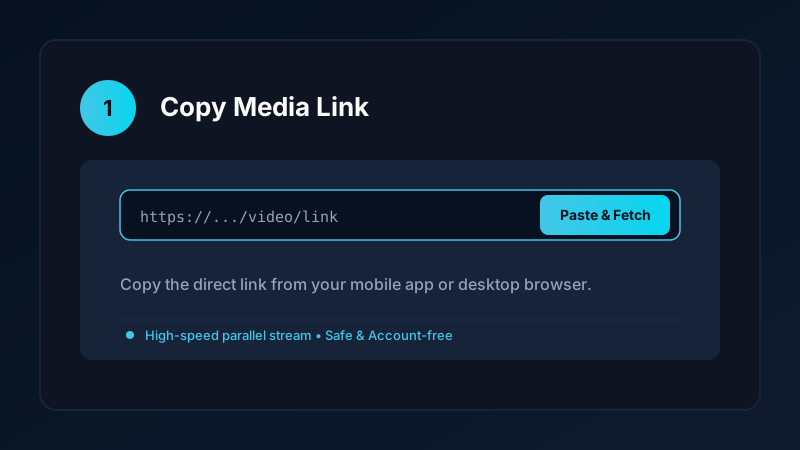
The completed file is saved to your public Movies folder and immediately indexed by your gallery app for instant offline playback.
Browser Extensions vs Dedicated Apps
Many desktop users search for an instagram video downloader chrome extension to save videos directly from their web browser. While extensions can be convenient, consider these trade-offs:
| Feature | Chrome Browser Extension | Native Mobile / Web App |
|---|---|---|
| Security Risk | High (frequently sold to data brokers) | Zero (account-free, runs locally) |
| Browser Permissions | Requires “Read all data on all websites” | Operates solely on pasted links |
| Platform Capping | Often breaks after Instagram updates | Regularly maintained stream resolution |
| Device Portability | Limited to desktop Chrome browser | Works across phone, tablet, and PC |
For long-term reliability and privacy, using an account-free application or clean web tool is vastly safer than granting third-party browser extensions sweeping permissions over your browsing history.
Maintaining Full Audio Synchronization
A common flaw with low-grade online Instagram downloaders is missing or out-of-sync audio:
- Instagram uses separate streams for audio and video on certain post formats.
- Poorly engineered tools grab only the visual track, leaving users with a silent video.
- Save Downloads automatically merges the visual stream with the studio stereo audio track, ensuring full synchronization.
If you are only looking to extract trending sound clips, explore our dedicated tutorial on downloading audio from Instagram Reels.
Private Vault: Keep Sensitive Clips Protected
If you download personal fitness evaluations, private creative moodboards, or confidential video archives, keeping them visible in your public gallery may not be ideal. Save Downloads features an offline encrypted vault:
- Move any downloaded video into the vault with one tap.
- Protect your files behind an encrypted PIN or fingerprint lock.
- Media in the vault is completely hidden from standard gallery apps and messaging pickers.
Ethical and Copyright Guidelines
When using an Instagram video downloader:
- Only save videos you have permission to download, or that are published under fair-use standards.
- Never republish someone else’s creative work to monetize or claim ownership.
- Read our comprehensive legal guide on downloading video content.
Preserving High Frame Rates (60fps) on Instagram Videos
Many automotive, sports, and gaming creators upload Reels at 60 frames per second for ultra-fluid motion:
- Screen Recording Flaws: When users screen-record clips, mobile operating systems often drop frames, resulting in jerky 24fps or 30fps recordings.
- Direct Stream Extraction: Save Downloads retrieves the original 60fps media stream directly from Instagram’s content delivery servers, preserving every frame of fast action.
- Zero Watermark Overlays: Enjoy unobstructed visuals across the entire 1080x1920 frame without animated logos obscuring critical details.
Frequently Asked Questions
Does Instagram add watermarks to downloaded videos?
When saving Reels directly within the Instagram app, a small watermark may appear. A stream extractor saves the clean, original source video.
Can I download Instagram feed videos and carousel posts?
Yes. A quality video downloader handles standard feed video posts, multi-slide video carousels, and vertical Reels seamlessly.
Can I use an instagram video downloader chrome extension?
While Chrome extensions exist, clean web-based tools and native apps are safer because they do not require full browser permissions.
Is Save Downloads free for Instagram video downloads?
Yes. Save Downloads is completely free, private, and requires no account creation or subscription.
Ultra-Fast VPN & Uncapped Bandwidth
Protect your mobile downloads with military-grade AES-256 encryption. Prevent ISP bandwidth throttling and stream up to 8x faster.
Try Save Downloads for Android
Parallel multi-chunk downloads, lossless 1080p and 4K stream remuxing, WhatsApp status saver, and AES-256 encrypted vault. 100% offline and account-free.
Related Guides & Articles
4K Video Downloader: How to Download High-Resolution Videos
Looking for a true 4k video downloader? Learn how to download Ultra HD 4K and 1080p videos with synchronized sound for offline viewing on TV and mobile.
Best Video Downloader App for Android in 2026
Looking for the best video downloader app for Android? Discover top features to check: offline speed, 1080p/4K with sound, private vault, and no accounts.
How to Download a Full YouTube Playlist
Need a youtube playlist downloader? Learn how to download entire video playlists and music albums in one tap for complete offline viewing.