
Online Video Downloader: What to Look For and What to Avoid
Quick Answer: When using an online video downloader, choose services that operate account-free, do not trigger deceptive redirect ads or fake virus warnings, and deliver authentic MP4 files. For regular downloading and full 1080p/4K quality with sound, a native offline application like Save Downloads provides superior speed, stability, and privacy.
Searching for a free online video downloader on Google yields millions of search results. While web-based tools offer the convenience of instant downloading without software installation, the online downloader landscape is notorious for intrusive advertisements, deceptive redirect networks, and severe quality limitations.
In this guide, we review how online downloaders operate, what safety risks to watch out for, and how to identify the best video downloader for your personal needs.
How Web-Based Online Video Downloaders Work
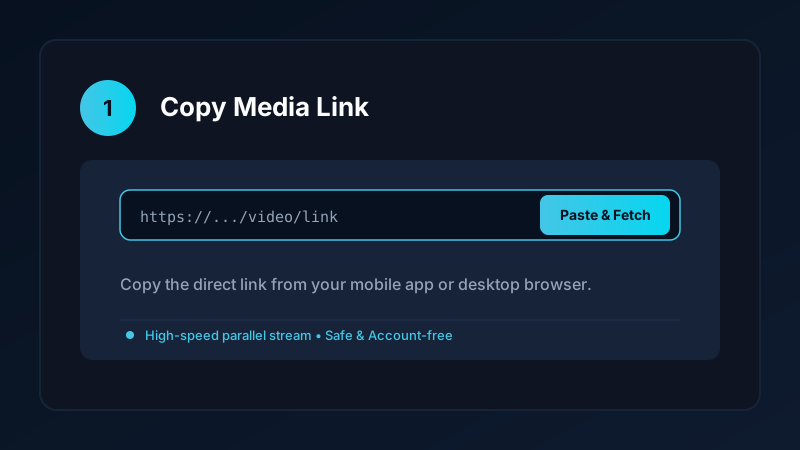
An online video downloader operates through a simple browser-based architecture:
- You input a web URL into the search bar on the downloader website.
- The website cloud server parses the video page and extracts the underlying media stream.
- The server generates a temporary download link for your browser to fetch.
- Your browser downloads the file directly into your local
Downloadsdirectory.
Because the tool runs entirely inside your browser, it works across Windows, macOS, Linux, ChromeOS, and mobile devices without requiring system administrator rights or installer permissions.
The Four Biggest Hazards on Free Downloader Websites
While convenient, many third-party web portals rely on aggressive monetization tactics that pose real risks to users:
1. Deceptive “Fake Download” Buttons
Free converter sites often surround the real download button with half a dozen flashing advertisements labeled “Download Now” or “Start.” Clicking these deceptive buttons triggers downloads of unwanted software, browser hijackers, or spyware.
2. Fake Virus Warnings and Browser Redirects
Many portals employ aggressive JavaScript redirects that lock your browser screen with alarming messages claiming: “Your Android Phone Is Infected by (3) Viruses! Click Here to Repair.” These are fraudulent scare tactics designed to trick you into purchasing unnecessary subscriptions or installing rogue apps.
3. Server-Side Datacenter IP Blocks
Video streaming platforms actively monitor incoming web traffic and detect when thousands of requests originate from a single commercial server IP address. When detected, the platform blocks the server, causing all online tool downloads to fail simultaneously with “Video Unavailable” errors.
4. Severe Resolution Capping
Merging 1080p or 4K video streams with audio requires substantial server processing power. To cut bandwidth costs, free online services either restrict downloads to 720p or hand users a completely silent 1080p video file.
Web Tools vs Dedicated Native Applications
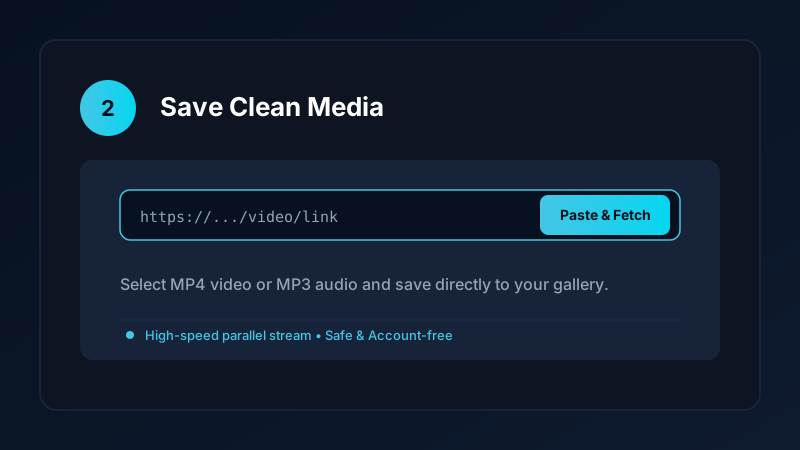
When deciding between a web-based service and a native mobile utility:
| Feature | Online Web Downloader | Native Save Downloads App |
|---|---|---|
| Setup Required | None (runs in browser) | Quick one-time APK install |
| Max Resolution with Sound | Usually capped at 720p | Full 1080p, 1440p, and 4K Ultra HD |
| Download Speeds | Throttled single-thread | Multi-threaded 8x acceleration |
| Reliability | Vulnerable to cloud IP blocks | 100% reliable on personal IP |
| Privacy & Security | Subject to web tracking & cookies | 100% offline, account-free, zero tracking |
| Private Vault | None | Offline private on-device encrypted private vault |
If you need a fast video downloader for everyday media archiving, installing an audited mobile app is vastly safer and more capable than browsing through spam-ridden web portals.
Safety Best Practices When Using Web Tools
If you must use a web downloader on a borrowed computer:
- Inspect File Extensions: Ensure completed files end strictly in
.mp4for video or.mp3for audio. If a site hands you an.exe,.scr, or unknown.apkfile, delete it immediately without opening. - Use an Ad Blocker: Run an ad-blocking browser extension like uBlock Origin to shield your screen from deceptive redirect networks.
- Never Enter Credentials: Legitimate downloaders never require your personal account passwords, email addresses, or phone numbers.
For mobile downloading advice, explore our guide on how to safely sideload Android apps.
Ethical and Copyright Guidelines
When saving online media:
- Download content solely for personal offline viewing, research, or fair-use study.
- Respect creator copyright and original publisher licenses.
- Read our comprehensive legal guide on video downloading.
Evaluating Online Downloader Infrastructure and Server Security
When selecting a web-based downloader for quick tasks:
- No Software Installation Required: Legitimate online converters operate entirely within your browser window. If a website prompts you to install desktop helper utilities or browser toolbars, close the tab immediately.
- SSL Encryption (HTTPS): Verify that the website URL begins with
https://and displays a secure padlock icon to prevent local network snooping. - Transparent Privacy Policies: Look for services that state clearly they do not log user IP addresses or store copies of your downloaded files on external servers.
- Ad Blocker Compatibility: Clean web tools continue to function smoothly even when you have an ad blocker enabled.
Frequently Asked Questions
Are online video downloaders safe to use?
Legitimate tools with clean interfaces are safe. However, many third-party web portals push deceptive ads, fake virus alerts, or malicious files.
Why do some online video downloaders limit quality to 720p?
Merging 1080p video and audio requires substantial server CPU power. Free web tools often cap resolution to cut their hosting costs.
What is the biggest advantage of a native app over a web tool?
A native mobile app uses your personal device hardware and IP address, ensuring 100% reliability, faster speeds, and zero web tracking.
How do I recognize deceptive ads on video downloader websites?
Deceptive ads often say ‘Update Flash Player’, ‘Your Phone Has a Virus’, or show green ‘Download’ buttons that redirect to external sites.
Ultra-Fast VPN & Uncapped Bandwidth
Protect your mobile downloads with military-grade AES-256 encryption. Prevent ISP bandwidth throttling and stream up to 8x faster.
Try Save Downloads for Android
Parallel multi-chunk downloads, lossless 1080p and 4K stream remuxing, WhatsApp status saver, and AES-256 encrypted vault. 100% offline and account-free.
Related Guides & Articles
4K Video Downloader: How to Download High-Resolution Videos
Looking for a true 4k video downloader? Learn how to download Ultra HD 4K and 1080p videos with synchronized sound for offline viewing on TV and mobile.
Best Video Downloader App for Android in 2026
Looking for the best video downloader app for Android? Discover top features to check: offline speed, 1080p/4K with sound, private vault, and no accounts.
Video Download Karne Wala App: Phone Mein Video Kaise Download Karein
Dhoond rahe hain behtareen video download karne wala app? Janein phone mein YouTube, Facebook aur TikTok video kaise download karein gallery mein.