
Video Downloader for PC and Laptop: What Works on Windows
Quick Answer: To use a video downloader for pc, copy the video link from your desktop browser, paste it into a verified online tool or desktop app, choose 1080p Full HD or 4K MP4, and save the file directly to your Windows hard drive. Downloaded files play smoothly in Windows Media Player, VLC, or Movies & TV without buffering.
Watching educational lectures, tutorials, and entertainment on a laptop or desktop PC provides a spacious display, rich sound systems, and massive storage capacity. Whether you are a student preparing for exam season, a teacher building lesson slides, or an editor collecting reference clips, having a reliable free video downloader for pc is invaluable.
In this guide, we review the best options to save videos on Windows 10 and 11 laptops and desktop computers safely.
What Makes an Outstanding Video Downloader for Laptop & PC?
When evaluating an all video downloader for pc, look for these core capabilities:
- 1080p and 4K Resolution With Synced Sound: Laptop screens are high-density displays. A good tool must deliver true 1080p and 4K without audio sync issues.
- Batch Downloading & Playlists: The ability to queue entire series, courses, or albums without manual link pasting.
- Zero Bundled Adware or Bloatware: Many legacy Windows freeware downloaders secretly bundle toolbars, cryptominers, or browser hijackers in their
.exeinstallers. Always choose clean, open utilities. - Hardware Acceleration: Modern PC processors from Intel, AMD, and NVIDIA feature dedicated video decoding circuits that play high-bitrate MP4 files with zero CPU lag.
Desktop Methods: Web Tools vs Native Windows Apps
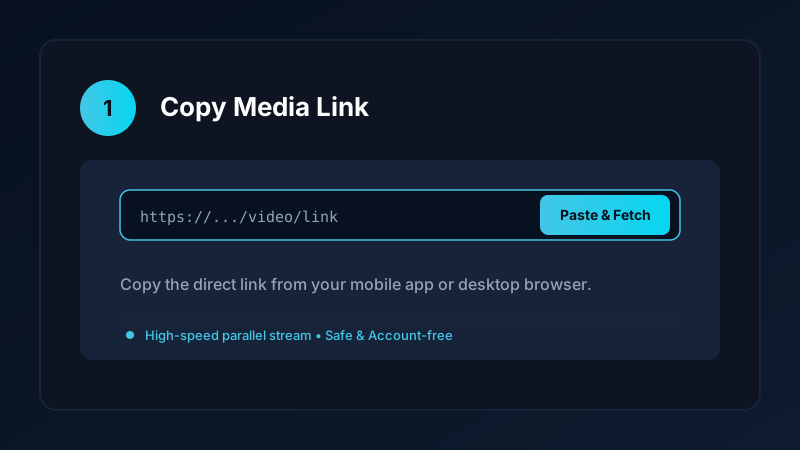
Method 1: Web-Based Link Converters
The fastest way without installing software is via an online web tool:
- Open your browser (Chrome, Edge, Firefox).
- Paste the video URL.
- Download the resulting MP4 file directly into your
Downloadsdirectory.
While convenient, web tools can struggle with large 4K files and batch playlists. Read our online video downloader overview to understand the pros and cons.
Method 2: Save Downloads for Windows (In Development)
We are actively engineering the official desktop companion to our Android app:
- Native Windows 10 and 11 64-bit performance.
- Multi-threaded parallel downloading for maximum home Wi-Fi speeds.
- Automatic MP3 conversion and playlist queueing.
- Direct integration with Windows Notifications.
Explore our Windows roadmap preview for architecture details.
Organizing Downloaded Media on Windows 10 & 11
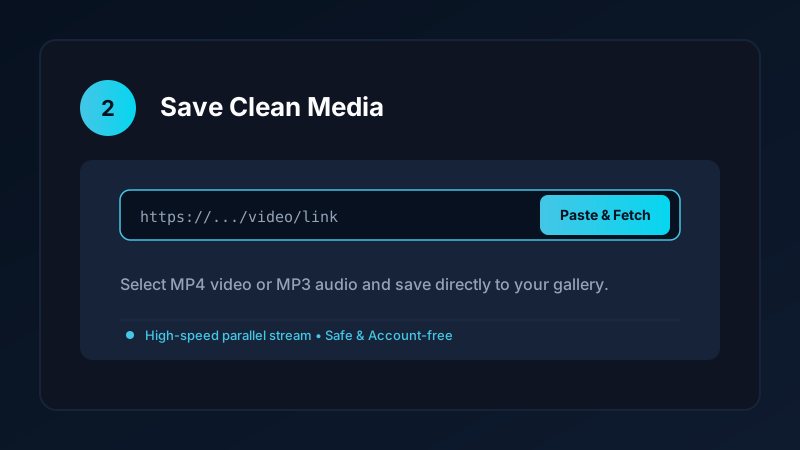
Once your video files are saved to your PC:
- Dedicated Folder Structure: Create organized directories such as
C:\Media\Courses,C:\Media\Documentaries, andC:\Media\Music. - Default Media Player Setup: Right-click an MP4 file, choose Open with > Choose another app, select VLC Media Player or Windows Media Player, and check Always use this app to open .mp4 files.
- External Hard Drive Archiving: Copy completed collections to an external USB hard drive or network-attached storage (NAS) for permanent safeguarding.
Video Formats on Windows: MP4 vs MKV vs WebM
| Container Format | System Compatibility | Audio Synchronization | Best Suited For |
|---|---|---|---|
| MP4 (H.264/AAC) | 100% universal across all players | Flawless | Recommended for all users |
| MKV (Matroska) | Requires VLC or third-party player | Flawless | Multilingual subtitles & audio tracks |
| WebM | Web-optimized, supported in browsers | Good | Web developers and HTML5 playback |
For everyday playback, MP4 remains the most dependable format. If you need audio only, read our guide on how to convert YouTube to MP3.
Staying Safe From Malicious Windows Downloaders
When looking for desktop video utilities:
- Never run unknown
.exeor.scrfiles from untrusted download portals. - Avoid third-party installer wrappers that try to install unwanted browser extensions or system optimizers.
- Verify software digital signatures and release checksums before launching installers.
Hardware Decoding and Multitasking on Windows Laptops
Modern Windows laptops feature dedicated video processing silicon:
- Intel QuickSync & AMD Video Core: Decode high-bitrate 1080p and 4K MP4 files using dedicated hardware circuits, keeping CPU usage below 5% and your laptop completely silent.
- Battery Optimization: Hardware-decoded offline MP4 playback consumes up to 70% less battery than active streaming in web browsers with dozens of background tabs open.
- Multi-Monitor Setups: Play reference tutorials on a secondary laptop monitor while coding or writing research papers on your primary screen.
- Offline Study in Remote Libraries: When studying in quiet university reading rooms or campus cafes with congested Wi-Fi, having video lectures saved locally on your SSD prevents frustrating streaming pauses.
Frequently Asked Questions
Can I download videos on a Windows 10 and 11 laptop?
Yes. You can use web-based link tools or dedicated desktop software to save MP4 videos and MP3 audio directly to your PC hard drive.
What is the best format for video playback on Windows?
MP4 with H.264 video and AAC audio is 100% universal, playing smoothly in Windows Media Player, VLC, and Movies & TV.
Can I download full 1080p and 4K videos on PC with audio?
Yes. Quality downloaders fetch the separate video and audio streams and merge them into a complete MP4 file.
Is Save Downloads developing a Windows desktop application?
Yes. A dedicated Save Downloads for Windows desktop edition is currently under active development.
Ultra-Fast VPN & Uncapped Bandwidth
Protect your mobile downloads with military-grade AES-256 encryption. Prevent ISP bandwidth throttling and stream up to 8x faster.
Try Save Downloads for Android
Parallel multi-chunk downloads, lossless 1080p and 4K stream remuxing, WhatsApp status saver, and AES-256 encrypted vault. 100% offline and account-free.
Related Guides & Articles
4K Video Downloader: How to Download High-Resolution Videos
Looking for a true 4k video downloader? Learn how to download Ultra HD 4K and 1080p videos with synchronized sound for offline viewing on TV and mobile.
Best Video Downloader App for Android in 2026
Looking for the best video downloader app for Android? Discover top features to check: offline speed, 1080p/4K with sound, private vault, and no accounts.
Video Download Karne Wala App: Phone Mein Video Kaise Download Karein
Dhoond rahe hain behtareen video download karne wala app? Janein phone mein YouTube, Facebook aur TikTok video kaise download karein gallery mein.